Inbox
Email alerts.
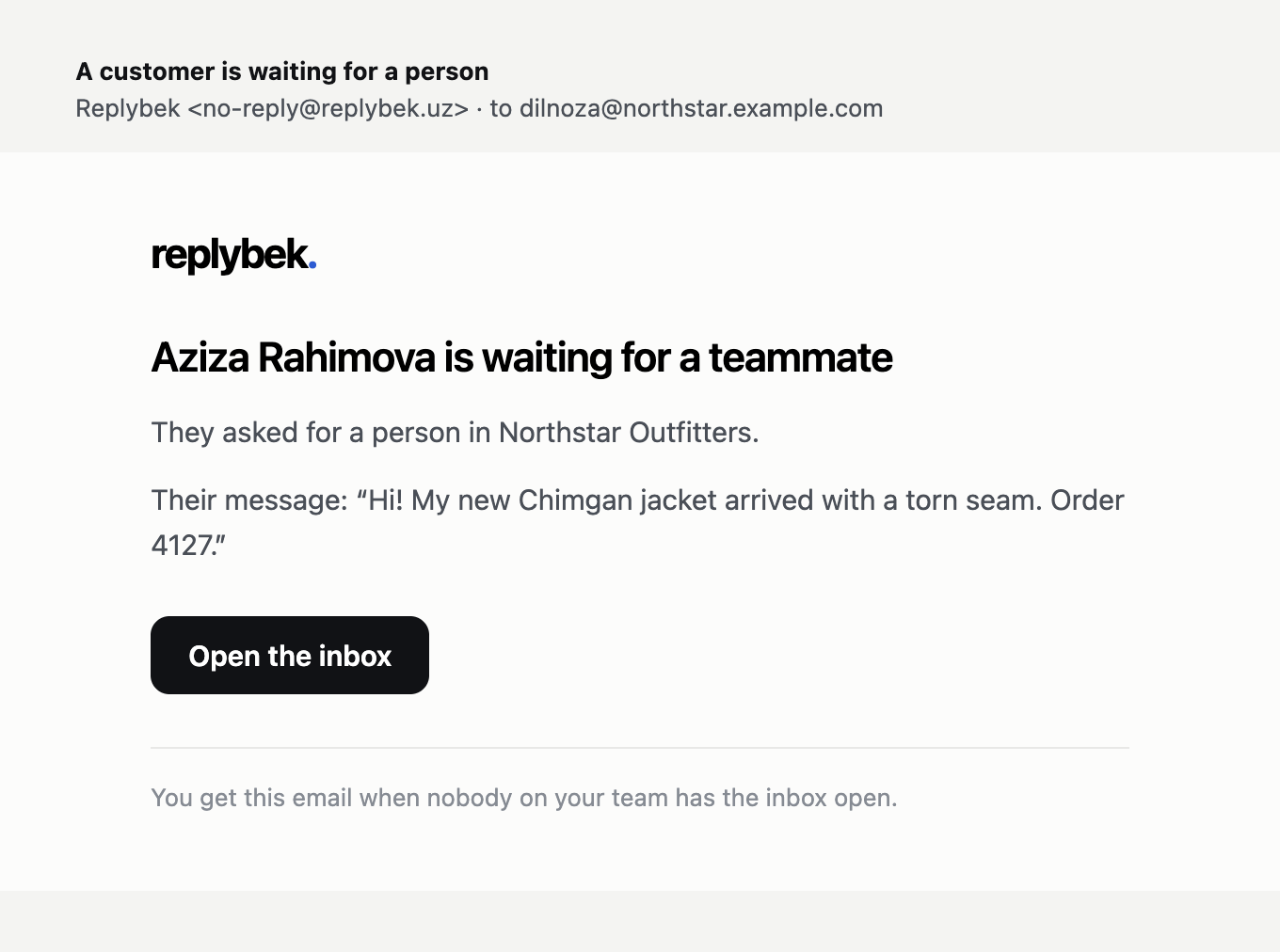
Your team gets an email when a customer is waiting for a person and nobody has the inbox open.
When a conversation is handed to your team, someone should see it quickly. If anyone on your team has the Replybek dashboard open, they see it in the inbox at once. If nobody does, Replybek emails your team.
How it works
- The email goes to everyone in the workspace when a customer is waiting and nobody has the dashboard open.
- It includes the customer's name and their last message, and a button that opens the conversation.
- Each conversation sends at most one alert an hour, so a busy chat doesn't flood your mailbox.
- Each teammate gets it in the language they use the dashboard in: Uzbek, Russian or English.
Other emails Replybek sends
| When | |
|---|---|
| Invitation | Someone invites you to their workspace. See Team. |
| Password reset | You press Forgot password? on the sign-in page. The link works for 1 hour. |
| AI messages used up | Your workspace reaches its monthly AI messages. Owners and admins get one email that month. See Usage and limits. |
Emails come from [email protected]. If you don't see them, check your spam folder and add that address to your contacts.